
Personal Leave gives you the ability to apply for Leave and track your leave.
On selecting Personal Leave you will see the following screen.
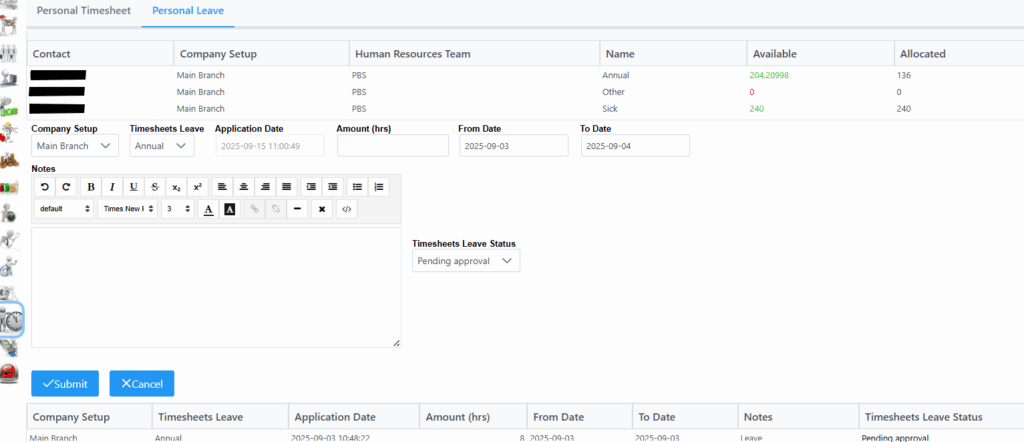
In the main tab you will see the time allocated and time available in hours for Annual, Other and Sick leave.
When applying for leave, main branch is set as default, Timesheet Leave is a dropdown list with a selection on what type of leave you are applying for, select accordingly. From Date and To Date displays a Calendar selection box where From and To date can be specified. Amount of hours gives you the ability to specify the amount of hours you are applying for if for example only half day, you can specify 4 hours.
In the Notes section, relevant information can be captured. Timesheets Leave Status will be in Pending Approval State waiting to be approved by appointed personnel. Click submit once all details are captured.
Beneath Notes section, you will see a list of leave applied for, dates taken and the Leave Status.
More historical leave details can also be seen by clicking any of the leave types. It will be displayed in a preview window listing all leave issued and taken.