
Mailbox Tab is where you configure your mail accounts for sending and receiving as in following example.
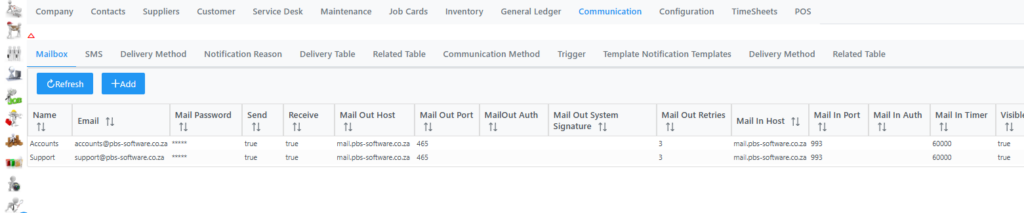
Click Add to add a new account. The following window will display where you need to capture the correct details.
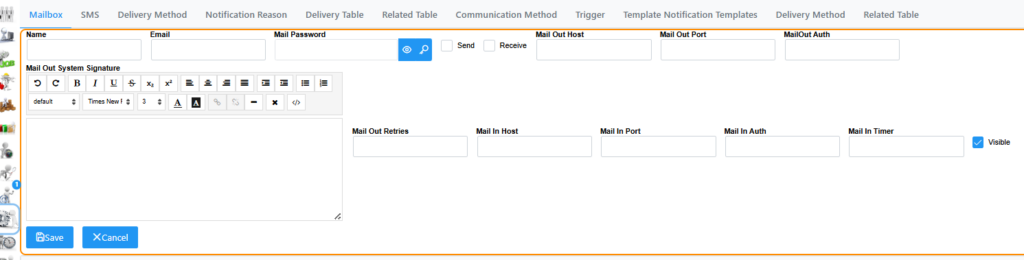
Name: Name of the account you are going to add
Email: Email address of the account you are adding
Mail Password: Email password of the account you are adding
Send Tick Box: Select if system needs to use account for outgoing communication
Receive Tick Box: Select if system needs to use account for incoming communication
Mail Out Host: The smtp server address
Mail Out Port: The smtp server port used for connection
MailOut Auth: The smtp server authentication method used
Mail Out Retries: The amount of retries the system will do in order to send.
Mail In Host: The Incoming mail server address
Mail In Port: The incoming mail server port used for the mailbox
Mail In Auth: The pop/imap authentication method used
Mail In Timer: The amount of seconds between intervals the system will check mailbox for new emails.
Remember to click Save when all details are captured.