
Contract Schedule defines the timing and frequency of work to be performed under a contract.
The following window displays Schedules already setup and or to add new Schedules.

Right click gives you the option to delete a schedule or to add one. Else just click the Add button to add a new one as explained in the following window.
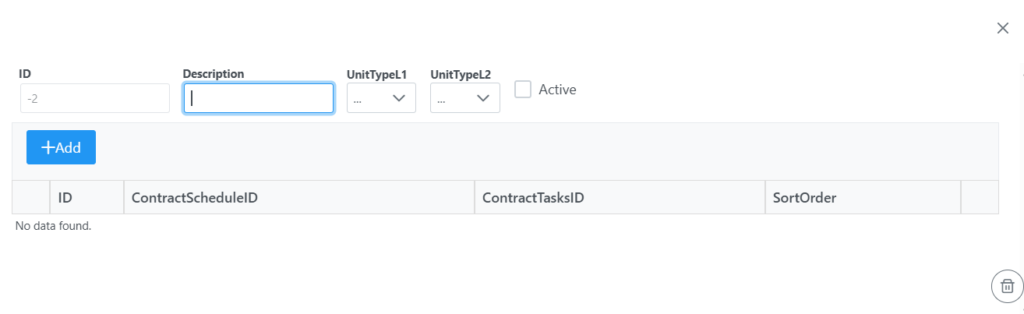
In the Description field enter the new Schedule name. Select what UnitType it would be and tick the Active tick box. Click Add to add a task related to the Schedule. First few characters can be typed to bring up a list of task already setup in the system as seen in the following screen.
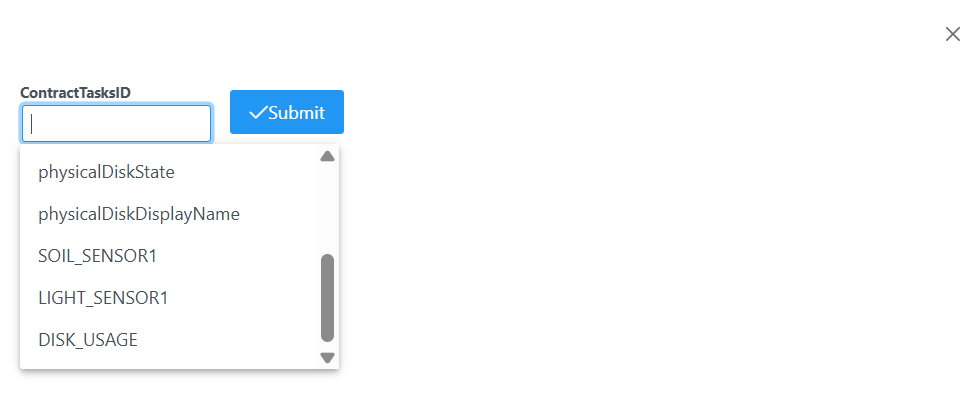
Once task is selected click submit. More tasks can be added following the same procedure. Once all tasks are added to the schedule, Click the save button as seen in following screen.
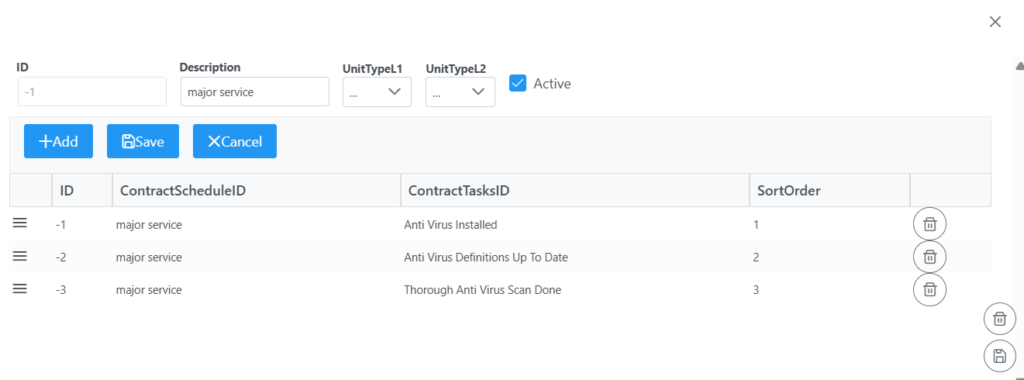
Remember to click the Save button bottom right corner of screen to Save the new Schedule in the system.