
Once you have applied your filter, you will see the following POS List screen which shows you a list of all Proforma Invoices (ie. unprocessed invoices, monthly invoices). Selection can be made bigger by selecting the drop down list and changing it from 10 to relevant amount.
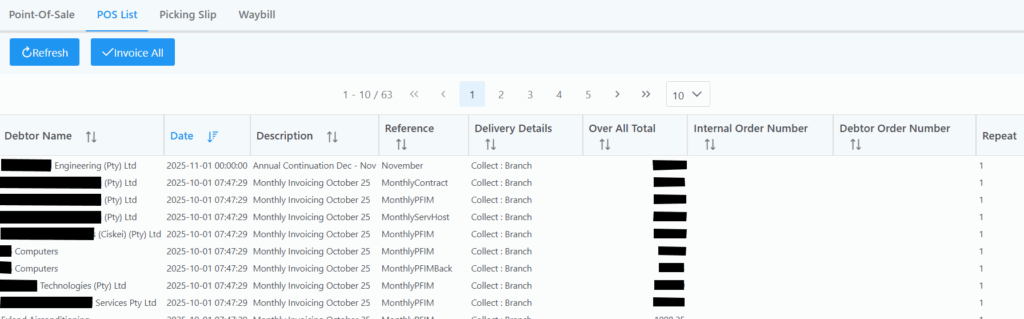
If you click on a Proforma Invoice it takes you to the Point-Of-Sale tab where you can view, print or process the Proforma Invoice.
Here you also have the option to Invoice All. If you have any monthly invoicing setup with a reference of MonthlyPFIM for example, select the filter and dot down the reference in the Reference field and click filter.
It will then list all monthlies related to your reference where you can select Invoice all which brings up the following window.
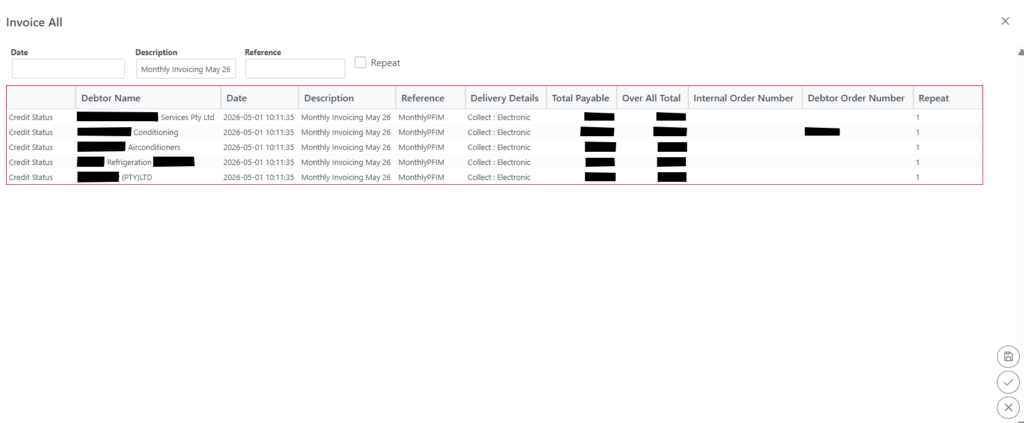
When you click the submit button, all invoices will be processed and a message will be displayed if successful.