
Brand Tab displays all Brands setup in the system if any as in the following screenshot.

Click the Add button to add a new Brand, fill in the Data String and Res String and click save as seen in next screenshot.
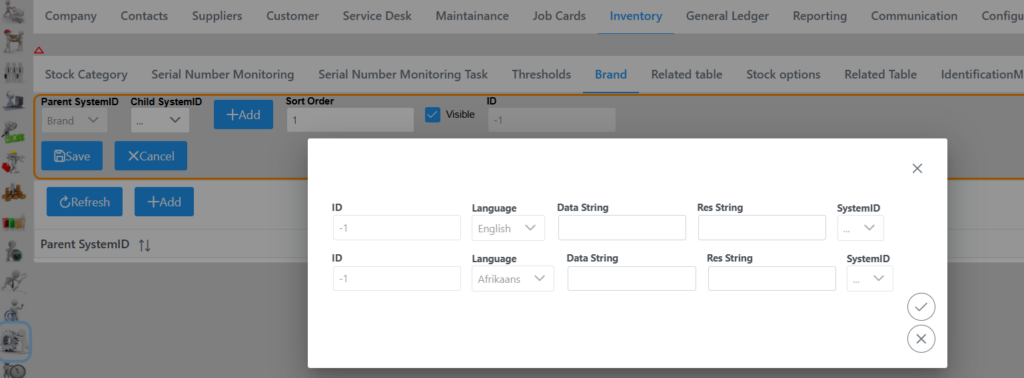
Remember to click the save button bottom right corner once all Brands have been added.