
Contract Tasks are predefined tasks linked to a contract that are automatically applied to jobs or units to ensure consistent and compliant service execution. In the following Contract Tasks window you will see predefined tasks already setup or you can add new ones.
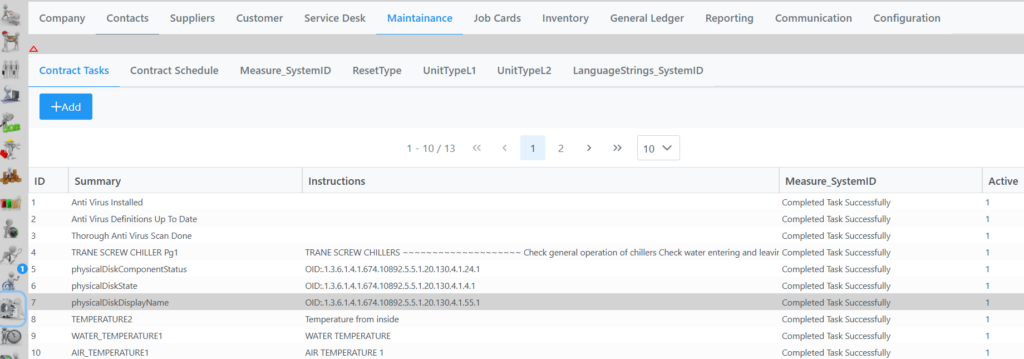
You have the option to right click on an item and Delete or Add. Else you can click Add button to add a new task as seen in following window.
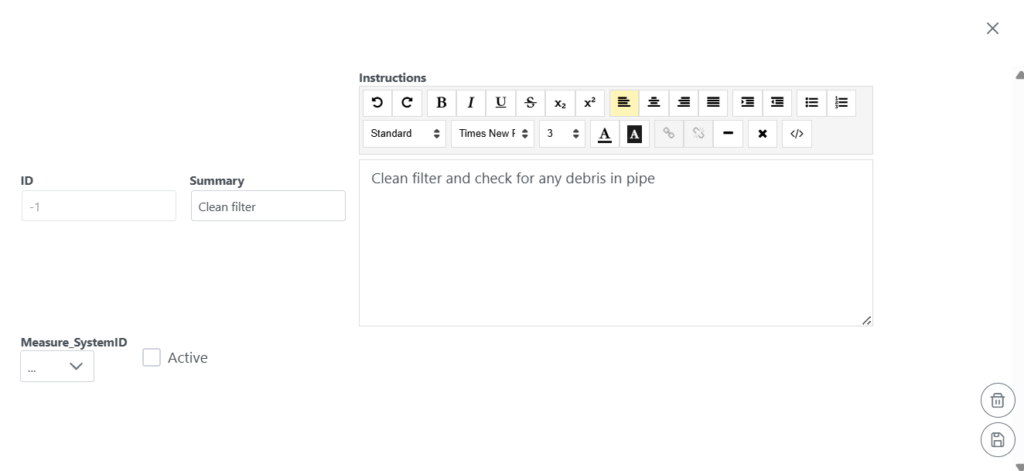
Summary is a short description of the task. Instructions would be more detailed.
Select the Active tick Box to make it an active task to be selectable when setting up Contract Schedules.
Measure_SystemID is chosen according to the required measurement type (e.g., pressure, voltage, temperature).