
Selecting Service Desk Expense will list all currently setup if any.
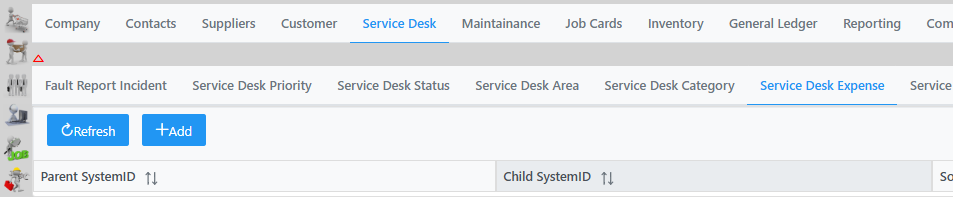
To add an Expense, click the Add button twice and fill in Data String and Res String accordingly. Click submit, Save and Save again to apply changes.
You can also right click on an item to move it up or down, or Add one.