
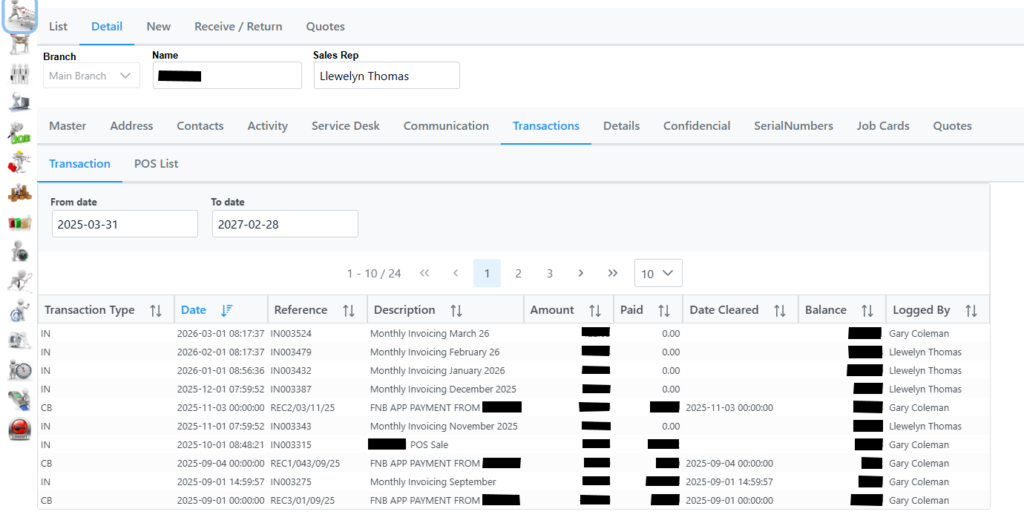
Transactions shows a detailed list of all transactions and type linked to the customer.
Right clicking an item displays following menu.
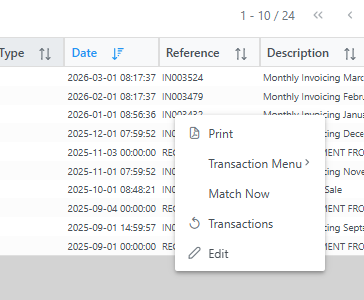
Print: Prints the item.
Transaction Menu: Allows to amend description of item.
Match Now: Matches all invoices with payments.
Transactions: Creates a Credit Note as explained in Credit Note section.
Edit: Displays following screen where more fields are editable.

Items tab: Ability change description field only.
Activity tab: Shows all activity related to the invoice.
POS List tab shows all future dated invoicing setup.