
The Contacts tab shows following screen.

Sales Rep: First field noticeable. If a Sales Rep has already been specified for the account, it will show. By selecting the Go To button, it will take you to the Sales Rep details in the Contacts Tab. If no Sales Rep has been specified, by typing the first few characters in the field a list of current Sales Reps should appear which is selectable , only if Sales Reps have been setup in your system.
On selecting the Edit button the following screen will appear.
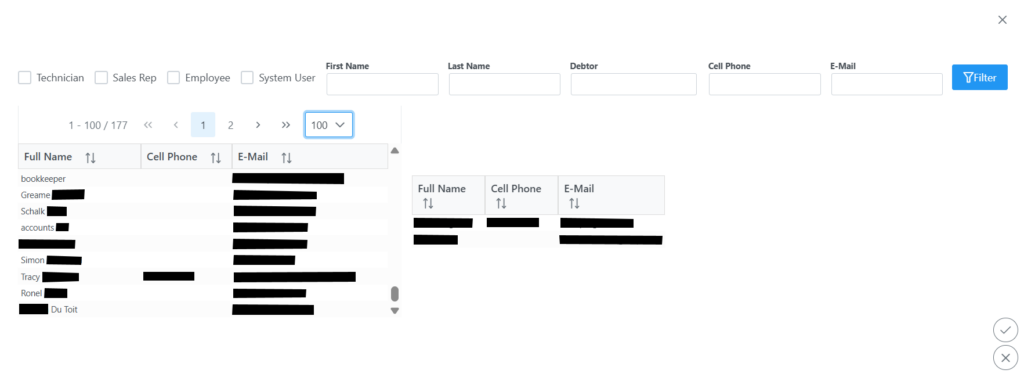
Here add or remove contacts from the customer. To add either use the filter and search by typing or use the drop down list to expand and finding the relevant contact, once you have the contact a single click will move it to the right side of the screen. To remove a contact, simply single click on the contact in the right side of the screen and it will remove it from the list. Once changes have been made, remember to click the submit button bottom right corner. If you wish to cancel any changes, just click the X button bottom right corner.