
If you click on a supplier in the List tab it will take you to the Detail tab and show you the details of that supplier. The Tab Bar at the top of each suppliers master file will allow you to look at additional details having the ability to specify details required for the supplier. You will see different tabs based on your user access.
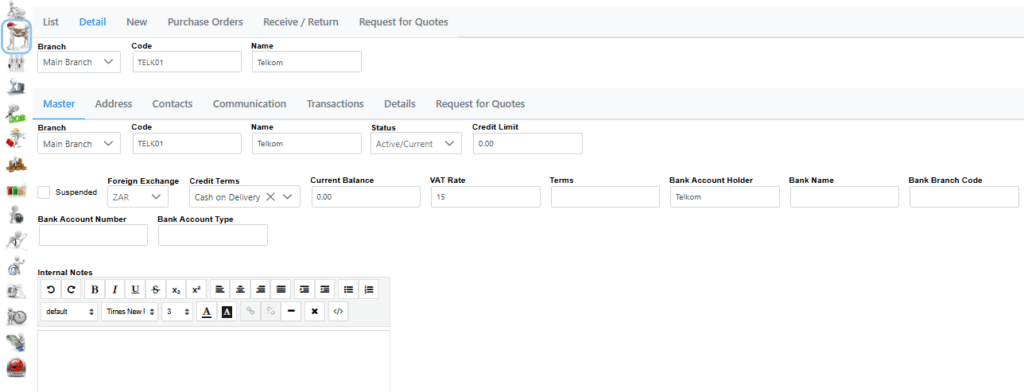
Header shows selected fields like Branch, Code, Name. This section is available regardless of tab selected.
Master shows all details which can be captured for supplier, including an Internal Notes section for more details.
Address allows to capture the address
Contacts shows all Contacts associated with this supplier with quick links to launch them.
Communication shows all previous communication sent out that related directly to this creditor, as well as the contact to whom it was sent and if you have access who sent it.
Transactions shows all supplier invoicing and payments relating to a specific supplier with Matching and aging for selected transactions.
Details this shows all additional details relating to a creditor usually used for custom data storage.
Confidential if you have access you may see this tab. It can hold all sorts of private information like banking details.
Quotes gives you the agility to view current quotes from selected supplier or create a new request for quotation.
The Header, Master and Address can all be edited to show different fields as needed.