
This tab lists the communication methods setup in the system.

Once again you have the option to right click in the grid to move an item up or down, or Add new. You also have the option to select an Item to change the sort order or visibility.
If for example you want to add another method like Fax, select Add and input the details as seen in the following screen.
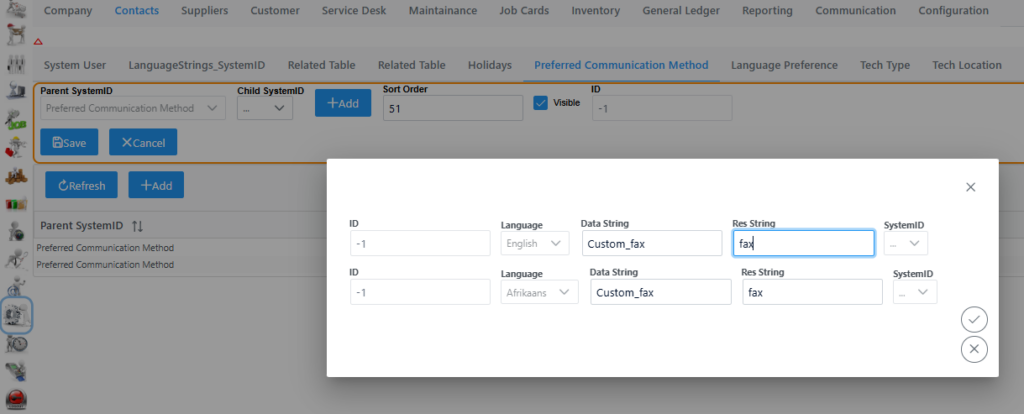
Remember to click submit, Save and Save again bottom right corner to add it to the system.
It will now be available in the Contacts – Notification Method – Preferred Communication Method Drop down selection box.