
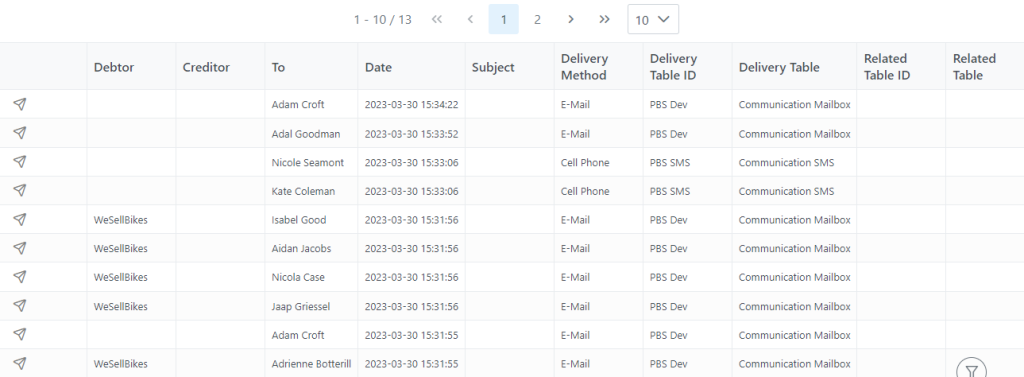
Once filtered you will get a list including all the filtered information. In the list you can see Debtor, Creditor, To Date, Subject, Delivery Method, and more. The latest 10 items are displayed, the dropdown button can be selected to choose more items as desired.

This Icon will show the number of new communications in the system which needs to be dealt with accordingly.

This Blue icon means it’s a new incoming email which is in an Unread state. Selecting it, will take you to the details of the email. You have the ability to right click on the item and take relevant actions ie Delete, Edit or Add a Fault Report Item, which will log a Service Desk call.

This green icon means communication out.

This icon means communication in which has been read. You also have the ability to right click on the icon and take relevant actions ie Delete, Edit or Add a Fault Report Item, which will log a Service Desk call if you have not done so on the initial Unread status.