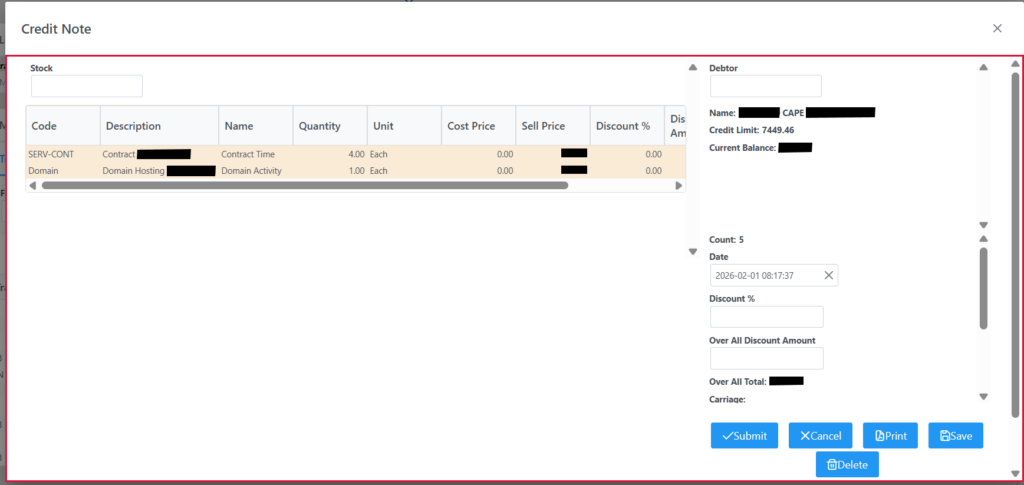
A Credit Note is a financial document a seller issues to a customer to reduce or cancel an amount on a previously issued invoice.
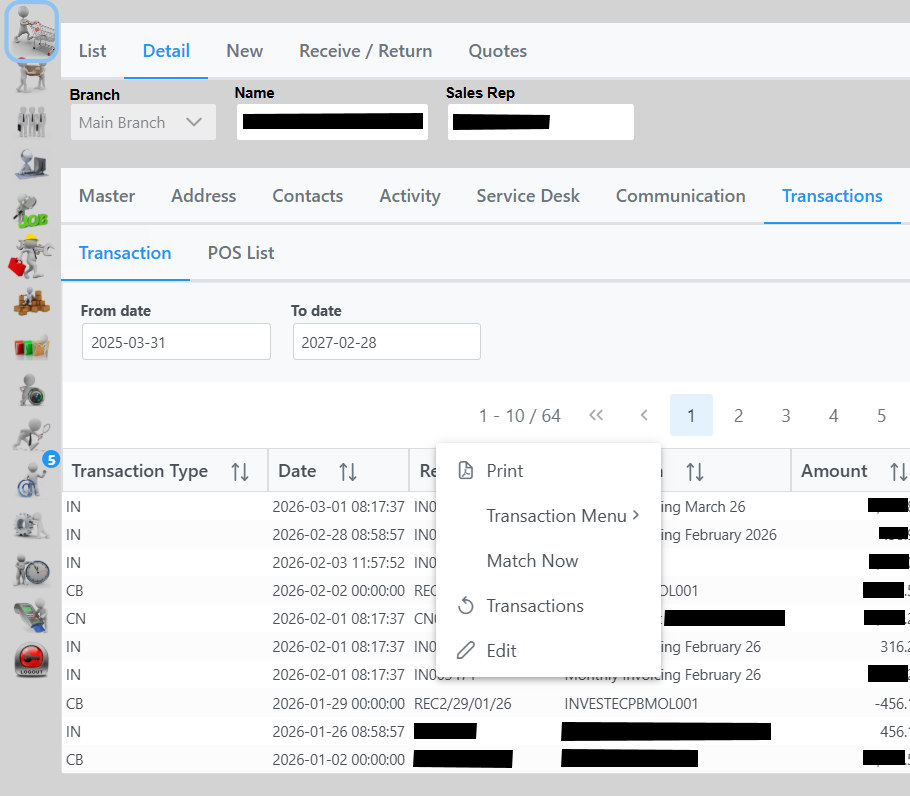
To create a Credit Note, navigate to the Customer, detail , Transaction Tab where you will see all invoicing. Right click on the Invoice to credit and select “Transactions” as in following screenshot:
Once selected a new Credit Note window will open.
Select the line item and value to credit.
After making adjustments, you have the option to Save, Print, Cancel or Delete.
When you are happy with the changes click the Submit button which will then process the Credit Note and open a copy for your viewing as in the following screen.