
Selecting Service Desk Area will display the following 3 areas setup in the system.
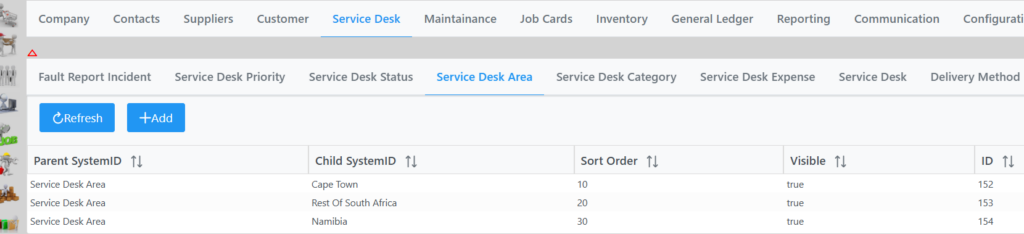
By selecting an item you can change its’ sort order and toggle visibility.
You can also add an area by selecting Add twice which will open a box to input the values in Data String and Res String. Click submit and Save.