
The 12-month trial balance is a trial balance report that shows the balances of all ledger accounts after a full financial year (12 months) of transactions have been recorded.
Instead of showing just one month (like a 1-month trial balance), it shows the cumulative balances of all accounts from the start of the financial year up to the end (e.g., 1 January – 31 December).
Here’s the breakdown:
Period Covered: It includes transactions from the beginning to the end of the accounting year (e.g., 1 January – 31 December).
Purpose: To confirm that total debits equal total credits for the whole year before financial statements are prepared.
Contents: Like any trial balance, it lists balances from assets, liabilities, equity, income, and expenses.
Use:
Acts as the final check for errors before preparing the annual financial statements (income statement, balance sheet, cash flow).
Provides a complete yearly summary of account balances.
Helps auditors and accountants confirm that books are balanced for year-end reporting.
Key points about a 12-month trial balance:
Prepared at the end of the financial year.
Lists all ledger accounts with their debit or credit balances.
Ensures that total debits = total credits for the entire year’s transactions.
Used as the basis for preparing the annual financial statements (income statement, balance sheet, etc.).
Helps auditors and accountants review all accounts before year-end closing.
Printing the 12 month Trial Balance in PFIM
Click on REPORTING
click on GENERAL LEDGER
click on TRIAL BALANCE
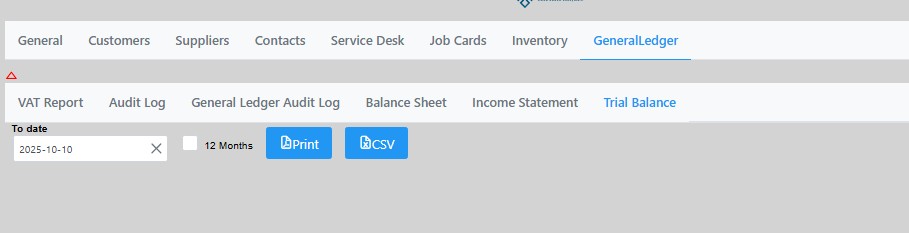
The default will be the 1 month trial balance.
Tick the box to print the 12 month trial balance.
You can then print the trial balance or export to a csv formatted file.