
By selecting the New tab, you will see the following screen where you can create a new Job Card.
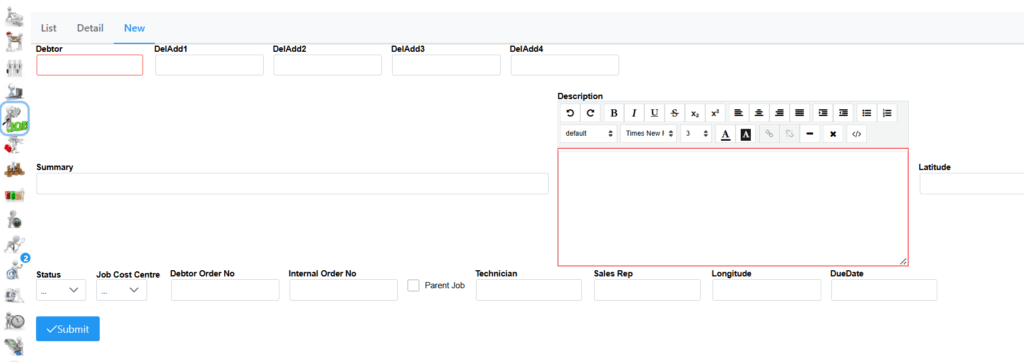
Typing the first few characters in the Debtor field brings up a list of Debtors to choose from. The address will pre-populate if it has been captured. Here a Summary and Description of the Job Card needs to be captured.
There are 7 Statuses to choose from. Select correct Job Cost Centre which has been configured in your system. A Debtor Order no and Internal Order no can also be captured if those details are available. A Technician needs to be selected by typing first few characters of the name which will bring up a list to choose from. A Sales Rep can also be specified by typing first few characters of the name to bring up the list to choose from. Remember to set a DueDate. Click the Submit button once all details are captured.