
On selecting New the following screen to add a new inventory item is shown.
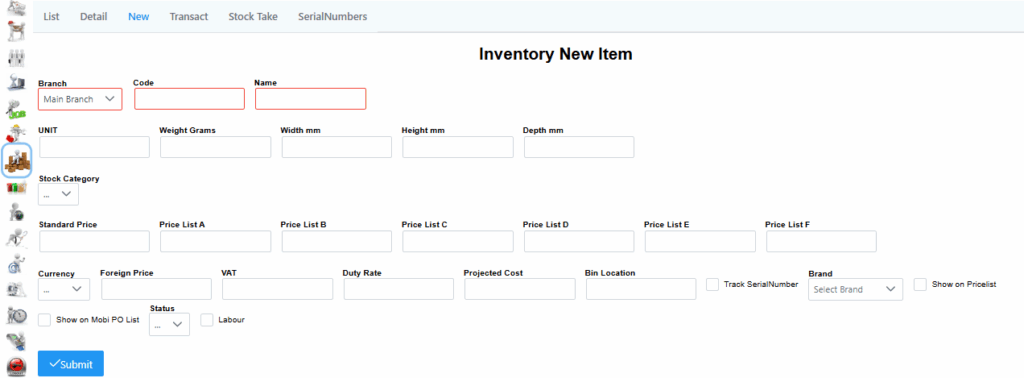
Main Branch is populated by default if only one branch is available. Details should be captured accordingly, remember to click submit to save changes.
In the New tab you will find the same check boxes as in the Detail tab:
Show on Pricelist check box: If this is checked on, the item will be shown on the Point-Of-Sale.
Track SerialNumber check box: When this is checked on, it enables that unit to be picked by technicians as an item that can have serial number.
Show on Mobi PO List check box: When this is checked on, it allows technicians to be able to request that product for a job.
Labour check box: If checked on, only users with access can view the costing of this product.
Once you are happy with all the details you have entered for a product, click Submit. You will be taken to the Detail tab showing you the details of the item you just added.